

Views
A View is a diagram defined by a query over the Model. It is never a source of truth: it selects Elements and draws them, and the Model decides what they are and how they connect. Change the Model and every View that shows the change redraws.
Generated Views
Section titled “Generated Views”A Generated View exists for every scope without anyone writing it:
| View id | Shows |
|---|---|
c1 |
The System Landscape: every Person and System. |
c2 |
The Service Landscape: every Service, grouped in its System. |
c2/<system> |
One System’s Services, with what they connect to. |
c3/<service> |
One Service’s Components, with what they connect to. |
deployment/<environment> |
Every Deployment in one Environment, on its Targets. |
They cover most questions. The viewer opens on c2.
Saved Views
Section titled “Saved Views”A Saved View is a View written into a Project’s files, under views, for a question the Generated Views don’t answer at a glance. A structural Saved View has a level and selectors. Big Bank’s Digital Banking Team saved one for the mainframe:
mainframe-outage: title: What a mainframe outage takes down description: Everything that depends on the mainframe, directly or not. level: c2 include: - element: core:mainframe upstream: all lens: impact: core:mainframe direction: upstream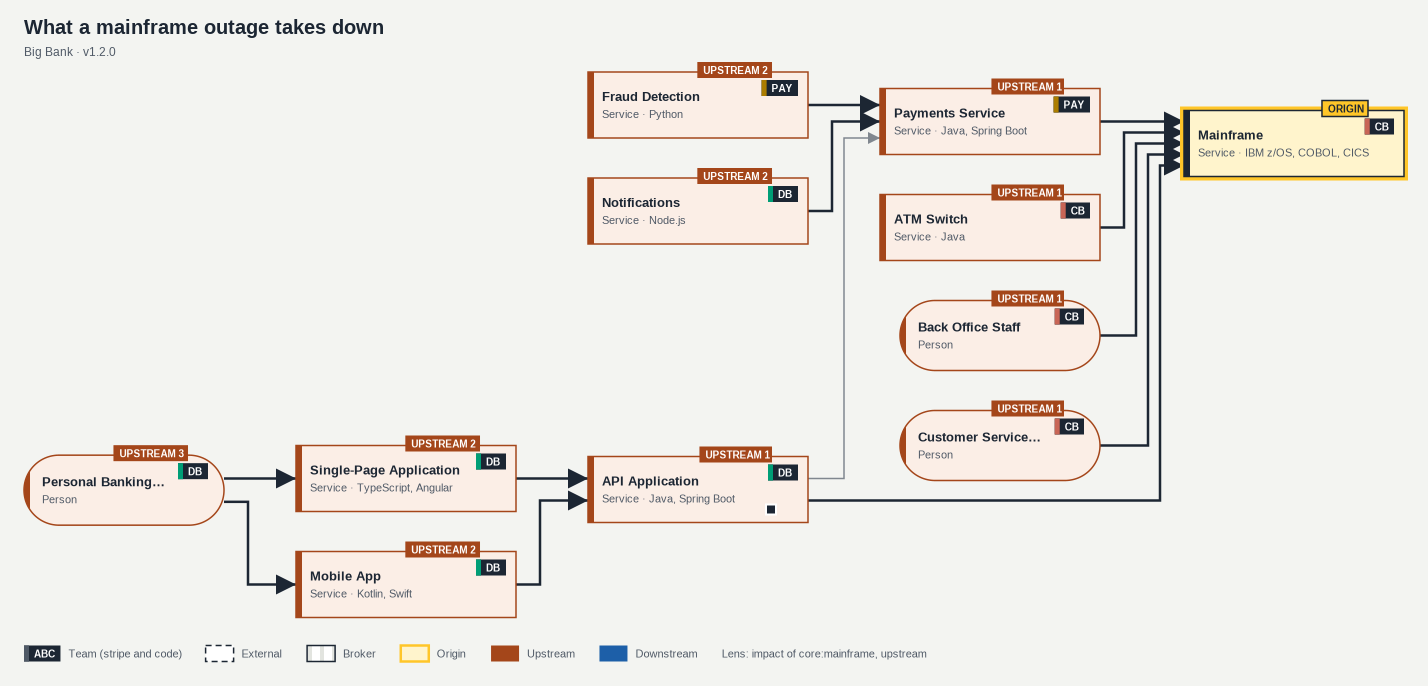
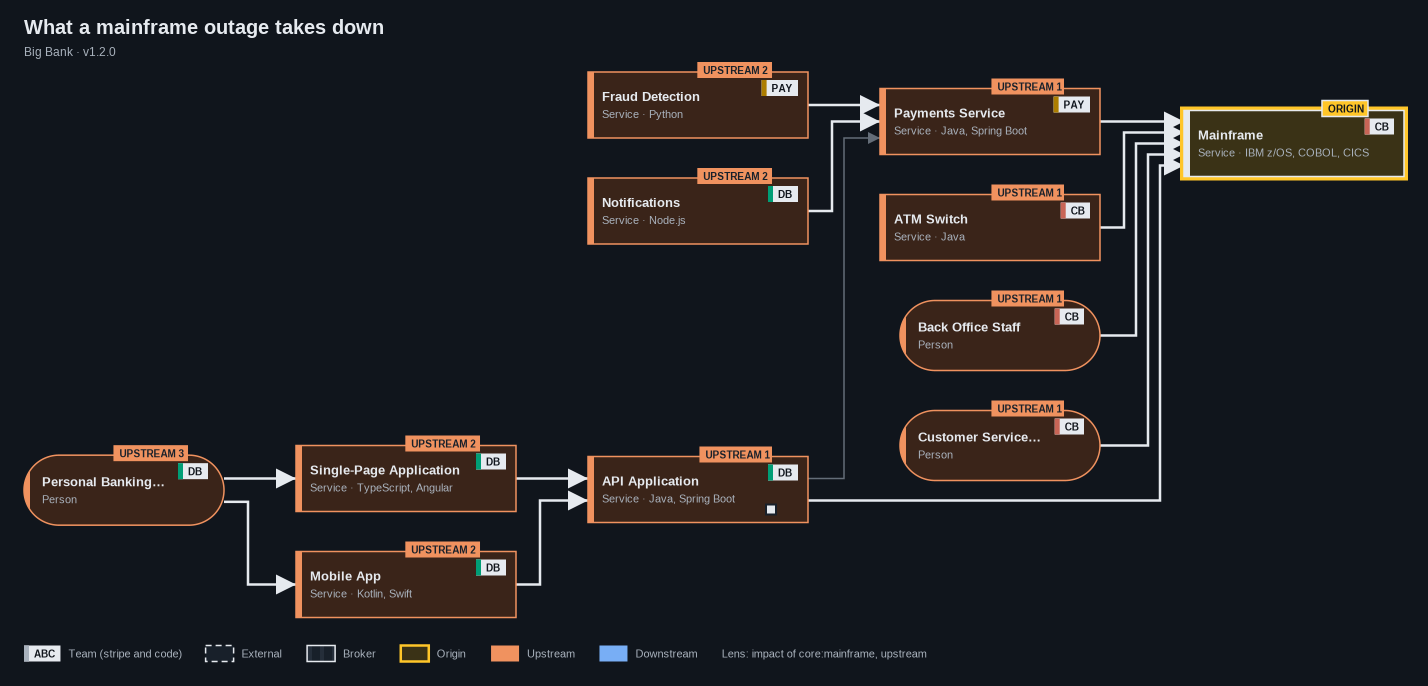
includepicks Elements: by id, with their children or descendants,upstreamordownstreamof one, byteam, bytag, or on the paths between two (fromandto).excludedrops some again.level(c1,c2,c3ordeployment) collapses what was picked to that level, andexpandandcollapseopen or close single Elements.
A Saved View has a Qualified id, such as digital:mainframe-outage, and the selectors keep working as the Model changes: a new Service that depends on the mainframe joins this View without anyone editing it. Every field is in the Views reference.
Lenses
Section titled “Lenses”A Lens highlights a View without changing which nodes it shows:
- Impact: what is upstream, downstream, or both, of one Element, each node marked with how many hops away it is.
- Team: what one Team owns.
- Path: the paths between two Elements.
The viewer turns Lenses on and off; a Saved View can open with one, as mainframe-outage opens with Impact.
Deployment Views
Section titled “Deployment Views”A Deployment View places Deployments on their Deployment Targets in one Environment. Each Environment has a Generated one, and a Saved View with level: deployment narrows it to some Elements or targets. See Deployments.
Dynamic Views
Section titled “Dynamic Views”A Dynamic View shows one scenario as an ordered list of Steps, drawn as a sequence chart:
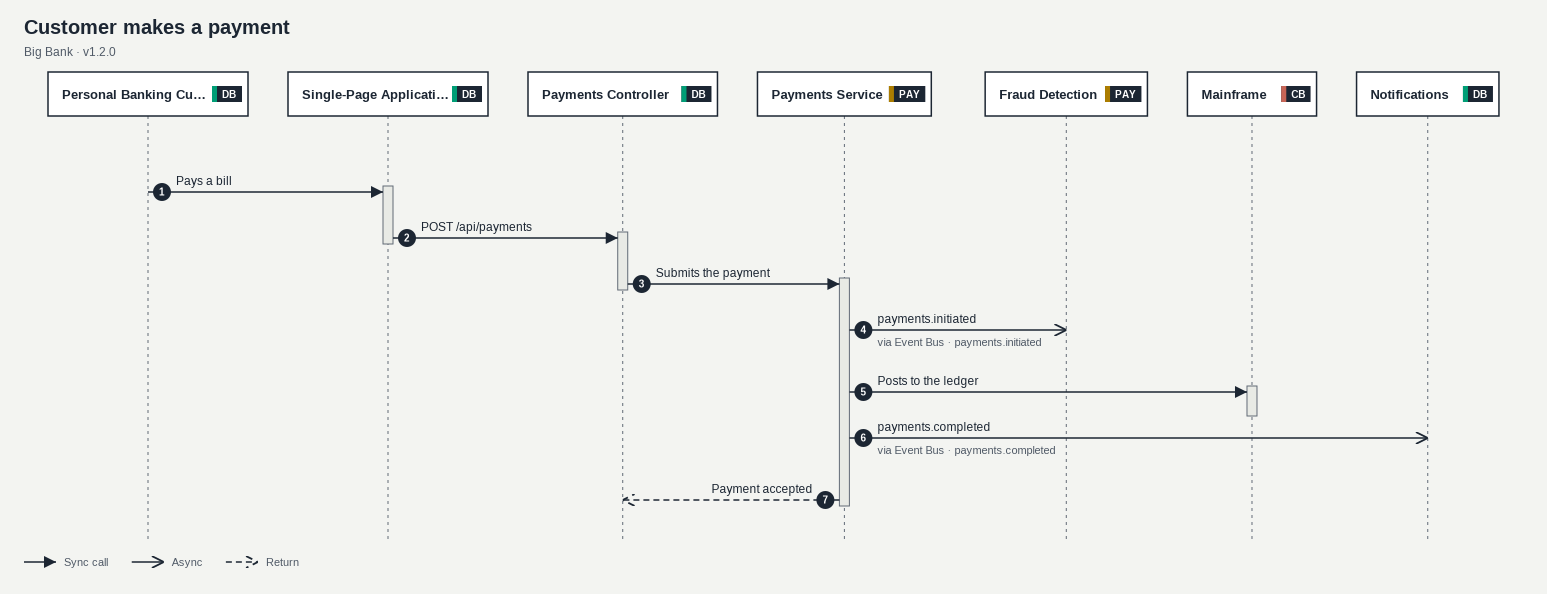
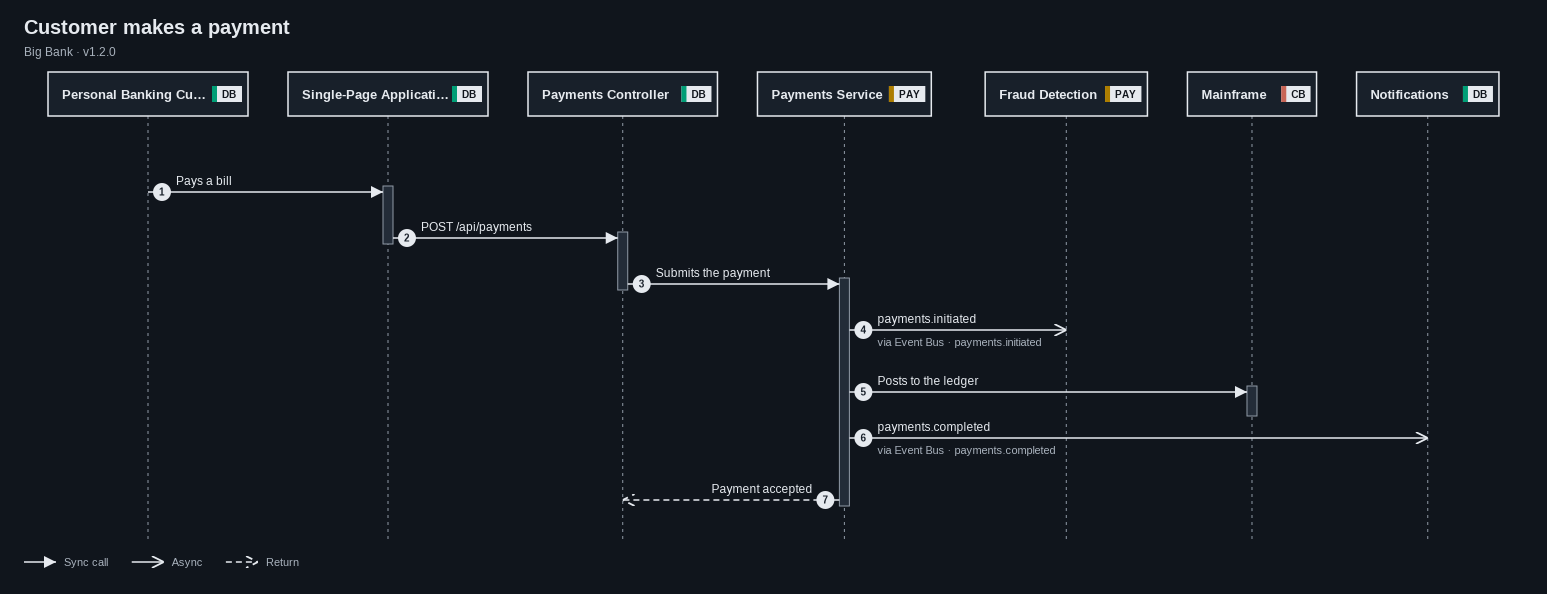
Each Step must follow a Relationship that exists in the Model, so a scenario can’t show a call the architecture doesn’t have. See Dynamic Views.
Layout
Section titled “Layout”The Layout, where each node sits, is computed every time, never stored, so it can’t change what the architecture means. A View says only which way it runs: top to bottom, left to right or the reverse.